Oven - How to replace the user interface and/or the switch selector
Çözüm

Refer always to your product’s user manual safety information before any repair or maintenance operation. https://www.electrolux.com/support/user-manuals/

WARNING! RISK OF ELECTRIC SHOCK
Before any repair or maintenance operation, deactivate the appliance and disconnect the mains plug from the socket.
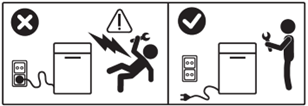
WARNING! RISK OF INJURY

Always take care when moving appliances. For heavy appliances it's safest for two persons to move it. Always use safety gloves and safety footwear. Wear safety gloves at all times to protect from cuts from sharp edges.
WARNING! RISK OF EYE INJURY

Wear safety glasses if you perform maintenance or repair work involving springs.
WARNING! RISK OF BURNS
Before any repair or maintenance operation make sure the appliance is not hot.

WARNING! CHOKING HAZARD
Small parts not for children under 3 years. Keep all small parts and packaging out of reach of children.
Only adults should use or install the product.
Make sure to use the product only for its designated purpose and verify that it is a compatible part for the intended product.
Do not use or install the product if damaged.
Please note that self-repair or nonprofessional repair can have safety consequences if not done properly and might void the warranty. Possessing the necessary know-how is essential.
HOW TO REPLACE USER INTERFACE AND/OR SWITCH SELECTOR
To replace the user interface and/or switch selector, it’s necessary to access the inner side of the front control panel. To achieve that we present several options (model dependent).
(Option 1) Unscrew the two Torx 20 screws on either side of the front top panel and lift from the back to release.
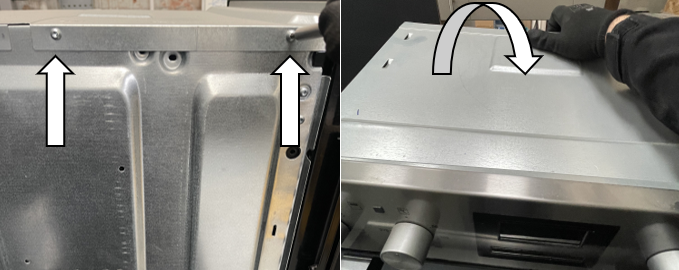
(Option 2) Unscrew the four Torx 20 screws on the top panel and the two Torx 10 screws on the back of the top panel. After, lift the top panel off to remove.
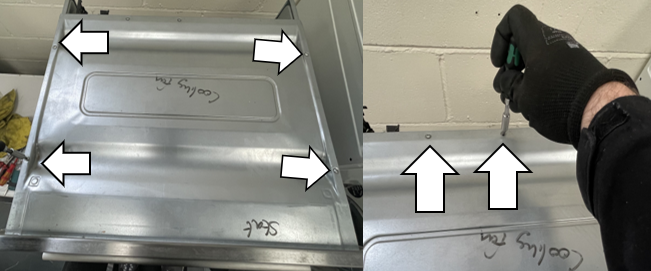
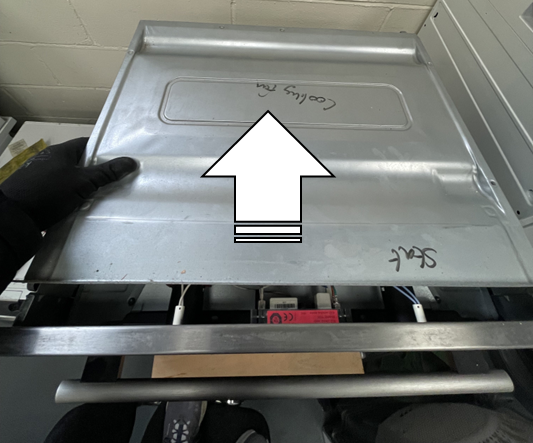
(Option 3) Unscrew the two Torx 20 screws at the top of the panel and lift the two back panel tabs out of their securing slots from the bottom of the oven.
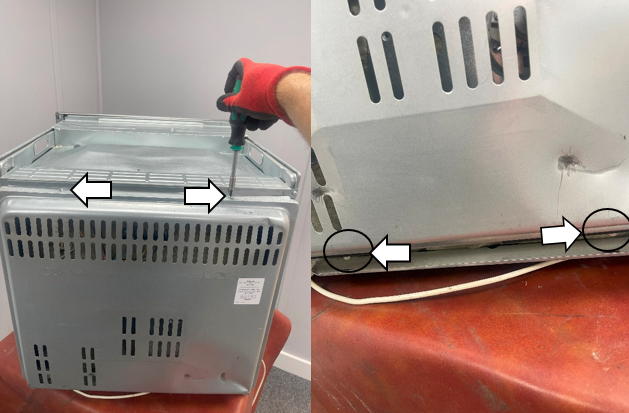
Unscrew the three Torx 20 screws on the right hand side of the lid.
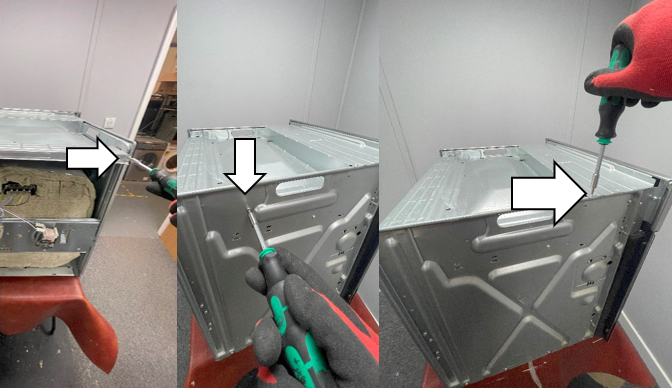
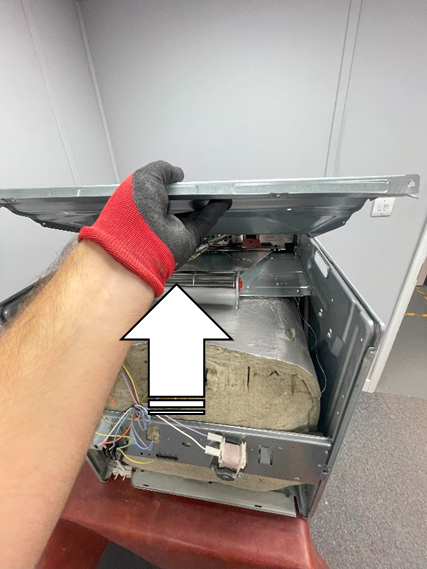
Repeat on the left hand side and lift the lid to remove.
REPLACE THE USER INTERFACE
1. Use a small flat bladed screwdriver to unclip the two retaining clips under the base of the clock unit and lift up from the bottom to remove.
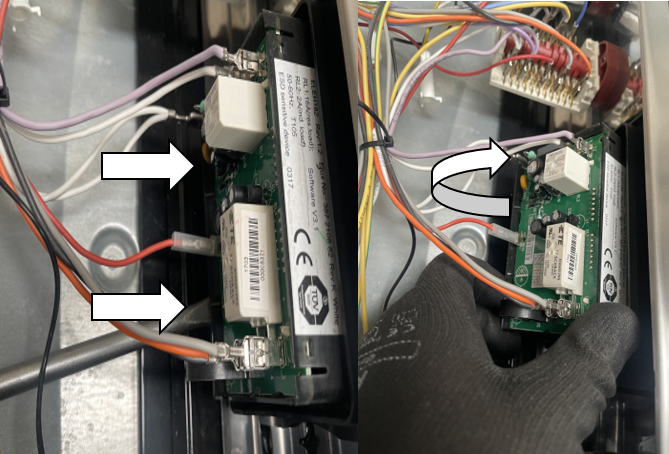
2. Carefully disconnect wiring connectors from the user interface board spades to release. (Note: Take a photo of the wiring positioning/location before disconnecting).
It is very important the wiring is replaced into the correct position for proper operation of the appliance. Be careful not to damage the connectors.
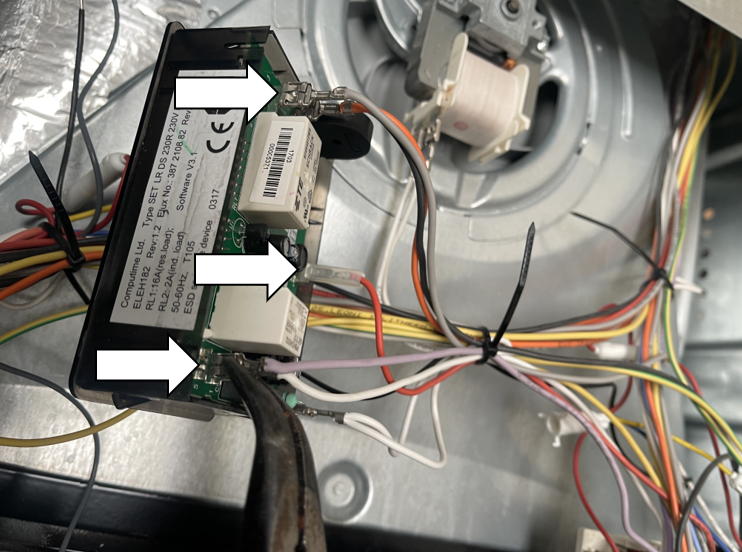
3. When reassembling, repeat steps in reverse order.
Note: New user interface boards will have a film over the screen that needs to be peeled off before refitting.
REPLACE THE SWITCH SELECTOR
1. Grab the control knob and pull the knob away from the selector switch shaft.
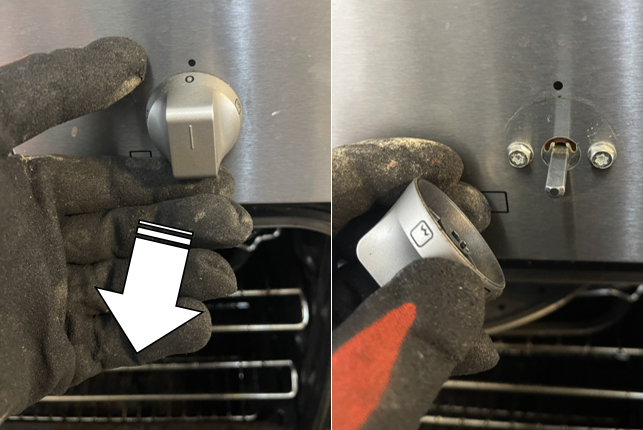
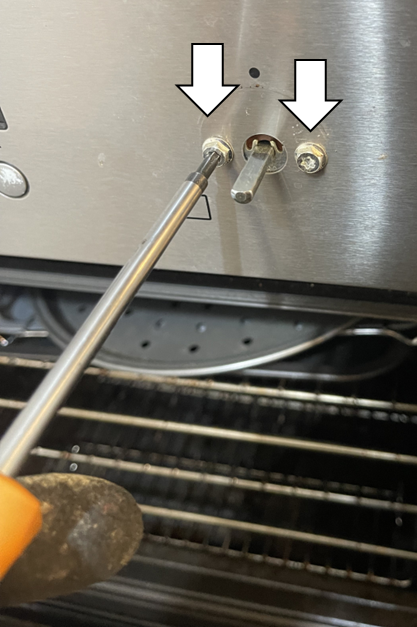
2. Unscrew the two Torx 20 screws to release the oven switch inside the appliance.
3. Slide off and remove the gasket from the selector switch (present in some models).
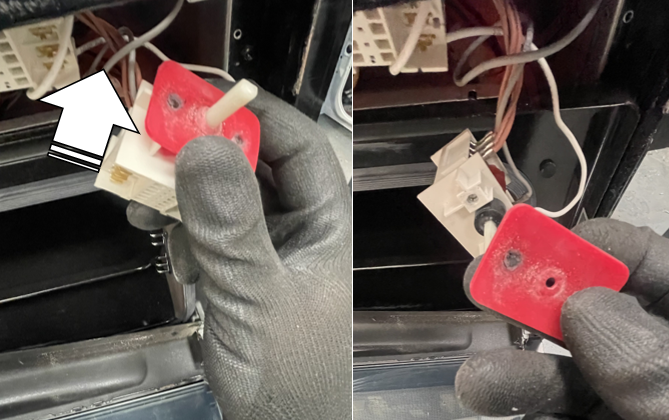
4. Carefully disconnect wiring connectors from the oven switch spades to release. (Note: Take a photo of the wiring positioning/location before disconnecting).
It is very important the wiring is replaced into the correct position for proper operation of the appliance. Be careful not to damage the connectors.
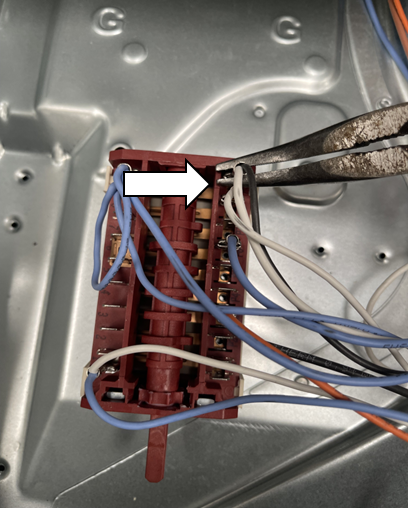
5. When reassembling, repeat steps in reverse order.
Bu makale faydalı mıydı?
İlgili Makaleler
- Cam ocak üstü nasıl değiştirilir (2)
- Seçici (2) nasıl değiştirilir
- Ocakta cam pişirme yüzeyi nasıl değiştirilir (1)
- Fan/ring ısıtma elemanı nasıl değiştirilir (1)
- Fırın lambası nasıl değiştirilir (1)
- Sensör nasıl değiştirilir
- Ocakta cam pişirme yüzeyi nasıl değiştirilir (2)
- Vantilatör motoru hava kılavuzunu nasıl değiştirirsiniz
- Fırın lambası contasını nasıl değiştirirsiniz
- Üst ısıtma elemanını (4) nasıl değiştirirsiniz
İlgili Makaleler
- Cam ocak üstü nasıl değiştirilir (2)
- Seçici (2) nasıl değiştirilir
- Ocakta cam pişirme yüzeyi nasıl değiştirilir (1)
- Fan/ring ısıtma elemanı nasıl değiştirilir (1)
- Fırın lambası nasıl değiştirilir (1)
- Sensör nasıl değiştirilir
- Ocakta cam pişirme yüzeyi nasıl değiştirilir (2)
- Vantilatör motoru hava kılavuzunu nasıl değiştirirsiniz
- Fırın lambası contasını nasıl değiştirirsiniz
- Üst ısıtma elemanını (4) nasıl değiştirirsiniz